Included with the Professional plan
Your phones, answered. Your moves, booked.
Your AI employee for moving companies — from the first call to the booked move, and beyond. Answer calls, follow up with leads, quote with your rates, and book into your calendar. Then put it to work on confirmation calls, dispatch, claims follow-ups, and old-lead campaigns.
Start Free Trial See how it works Try the live demo
Why wait for a demo? Try it yourself right now
Call our live demo line and get quoted like a real customer. The AI answers for Demo Mover, a demo moving company based in Orlando, FL, and prices your move with real rates. Tell it you're moving from Orlando (local or long distance), list your rooms and furniture, and give your real cell and email — the written estimate arrives by text and email, exactly as your customers would see it. Then open the demo CRM for a guided tour of the lead, inventory, estimate, AI notes, and your call recording. Open the demo CRM.
30-day free trial · No contracts · AI talk time billed via prepaid per-minute credits
Every missed call is a move someone else booked
People shopping for a mover don't leave voicemails — they call the next company on the list. When you're on a truck, on another call, or closed for the night, that lead is gone. The movers winning right now aren't better. They just answered.
- You're on the job. Your hands are full of furniture at exactly the moment a customer wants a quote. That call went somewhere.
- They shop at night. Customers plan moves after work and on weekends — precisely when nobody is in your office to pick up.
- Speed wins the job. The first company to give a real price usually wins. An instant, accurate quote beats a next-day callback every time.
How it works
One call. Start to booked.
Step 1: Answers on the first ring
Day, night, weekends, holidays — while your crew is on a job and your competitors' phones ring out, yours gets answered by a rep who never takes a break.
Step 2: Builds the whole move
It asks the same questions your best salesperson would: addresses, date, access, and a room-by-room inventory — so the estimate is built on real information, not guesses.
Step 3: Quotes YOUR prices
No made-up numbers. It prices the job with your actual rates — hourly, travel, packing, materials — the exact same pricing your CRM uses.
Step 4: Sends the estimate on the spot
While the customer is still on the phone, the written estimate hits their text messages and inbox — with a deposit link ready to tap.
Step 5: Books the move
Checks actual calendar capacity and books when your required approvals, signatures, and deposits are met. The job stays linked to the customer, lead, and estimate in Reelow.
Step 6: Calls your leads back
It doesn't just answer — it dials out. New web leads get a call within moments, missed callers get called back, and sent quotes get a follow-up call to help the customer book.
And if the caller needs a human? It warm-transfers to your team or takes a detailed message. Nothing falls through.
Built to sell moves, tuned by you
From new leads to move-day calls and claims follow-ups, choose the work you want it to handle. Guided setup gets your business information in place; you stay in control.
On the phone
How the call itself sounds, and what happens when it should not be the AI.
- 24/7/365 coverage
- Nights, weekends, holidays, and every call that comes in while you're carrying a couch.
- Sounds like your best rep
- Pick the voice, set the greeting and personality. Callers get a warm, natural conversation — not a robot menu.
- Knows your company
- Your service areas, specialties, FAQs, policies, and what you won't move. It answers like someone who's worked for you for years.
- Hands off when it should
- Complex call or a caller who wants a human? It warm-transfers to your team on the spot.
- Never loses a message
- Can't take the transfer? It captures the name, number, and reason — logged in your CRM, not on a sticky note.
- After-hours mode
- Want your office owning daytime calls? Flip one switch and the AI steps back during open hours — and takes over the moment you close.
Into the calendar
Booking only happens when your own prerequisites are satisfied.
- Checks availability & books
- Checks saved capacity and scheduling rules, temporarily holds the selected slot, and books into your CRM when required approvals, signatures, and deposits are satisfied.
- Every call in your CRM
- Summaries, outcomes, and new leads appear automatically. You see exactly what happened on every call.
After the booking
Job and claim calls record requests for staff; they do not make decisions for them.
- Confirmation calls
- Calls about upcoming moves using saved job details. Confirmations, change requests, cancellation requests, and requests for human help are recorded for your team—not silently applied to the job.
- Dispatch calls
- Shares approved job, crew, arrival-window, and access instructions. Missing information goes to your team—not an invented crew location or arrival time.
- Claims follow-ups
- Follows up on the correct case, requests missing documents, shares approved status updates, and preserves the history. Settlement, refund, and liability decisions stay with authorized staff.
Outbound
Every outbound trigger and campaign is something you switch on and can stop.
- Outbound follow-up calls
- Speed-to-lead, on autopilot. It calls new leads the moment they come in, returns missed calls, and follows up on sent quotes — you choose which triggers are on.
- Old-lead campaigns
- Select existing leads or import a list—even one from six months ago. Review eligibility and schedule a controlled campaign with duplicate and do-not-call checks, retry limits, progress, and pause/cancel controls.
Setup & oversight
What you configure before it runs, and what you watch once it does.
- Simple setup. Clear oversight.
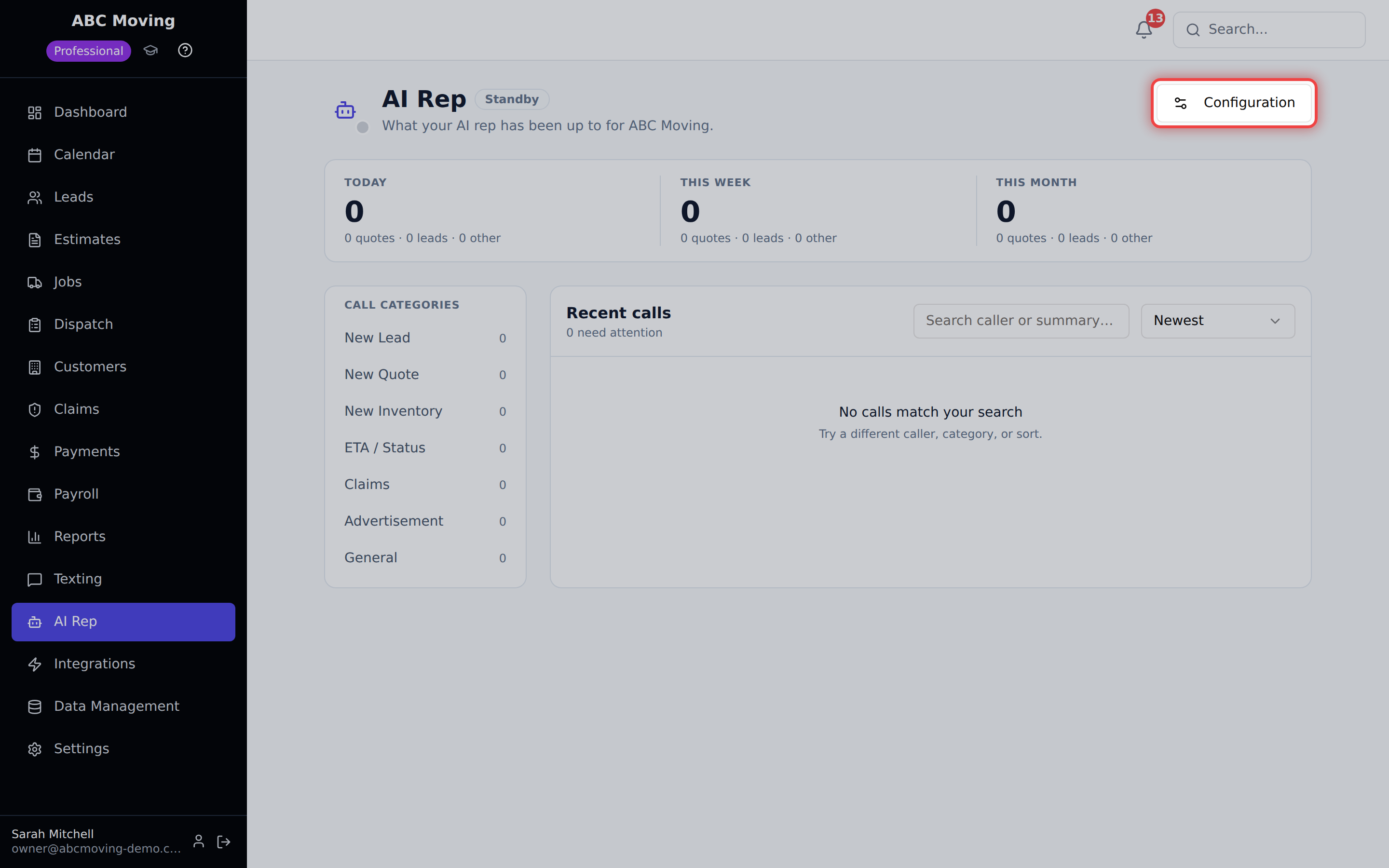
- Four guided steps: your business, call options, phone, and review. See missing services, exclusions, rates, policies, hours, connections, or credits. Monitor queued work, outcomes, failures, and items needing attention.
- You're always in control
- Turn it on or off any time. Change what it says any time. It works for you — literally.
Before it runs
- Enable the capabilities you want after reviewing your business settings, phone connection, and credits.
- Outbound calls follow eligibility, consent, and calling-window checks.
- Missing business rules require review.
- Monitoring separates completed outcomes from attempts, blocked work, and requests needing your team.
No extra monthly fee. Pay only for talk time.
It can book a move for as little as $2.68. Here's the math: talk time is $0.80/min, and our shortest full quote call ran 3 min 21 sec — $2.68. The average quote call is about 6 minutes, so figure roughly $5 per quoted move. Compare that to what a missed call costs you.
The AI sales rep comes with the Professional plan — the same plan that includes two-way SMS, automations, and review requests. Its talk time is billed through prepaid per-minute credits, so you only pay when it's actually on the phone selling for you. One booked move typically pays for months of talk time.
- Included with the Professional plan — no add-on fee
- Prepaid credits — no surprise bills, auto-recharge optional
- Turn it on or off any time, no commitment
See full plan pricing on the pricing page.
Questions movers ask us
Does the AI actually book moves, or just answer questions?
It gathers move details and inventory, prices supported moves with your saved rates, sends the estimate and deposit link, checks calendar availability, and books when your required approvals, signatures, and deposits are complete. The customer, lead, estimate, and job stay linked in Reelow. Missing information or unsupported cases go to your team for review.
Does it make outbound calls too, or only answer?
Both. Beyond answering, the AI can call your leads for you: it dials new web leads within moments of them coming in (speed-to-lead wins deals), calls back people whose calls you missed, and follows up on quotes you've sent to help the customer book. Each outbound trigger is a switch in your settings — turn on only the ones you want, and every call is logged in your CRM like any other.
What if a caller wants to talk to a real person?
You set a transfer number, and the AI warm-transfers the call to your team whenever the caller asks or the call gets complex. If nobody can pick up, it takes a detailed message with the callback number and reason, and logs it in your CRM so nothing slips.
Will it quote the wrong prices?
It uses your saved company rates and the CRM estimator for supported moves, including configured labor, travel, packing, and materials. Missing rules or unsupported pricing cases require review rather than a guessed price. Review your company settings during setup.
What does it cost?
The AI sales rep is included with the Professional plan — there's no extra monthly fee for the feature. You only pay for the AI's talk time through prepaid per-minute credits, so your cost scales with actual calls, not a flat surcharge. A few booked moves typically cover a whole month of talk time many times over.
Can I control how it sounds and what it says?
Yes. You choose the voice, set the greeting and personality, load your FAQs, service areas, specialty services, and company policies, and add your own rules. It represents your company the way you want — and you can update it any time.
What if I only want it answering after hours?
There's a mode for that. Run it 24/7, or switch on after-hours mode: during your open hours the AI steps back — letting callers know your team is available and offering to take a message or set up a callback — and it fully runs the show on the evenings, weekends, and holidays you're currently losing.
Can I turn it off?
Any time, with one switch. Turn it off and calls route straight to your transfer number. Turn it back on and it picks right back up. You're always in control.
Tonight, someone will call a mover at 9:42 PM.
Make sure it's your company that picks up — and your company that books the move before anyone else even calls them back in the morning.
30-day free trial · Cancel anytime