Getting Started With Reelow
Getting Started · Last updated August 16, 2026
What Reelow is, how the platform is organized, and the first steps every new moving company should take.
Reelow is a CRM built specifically for moving companies. It manages your entire operation in one place: capturing leads, building room-by-room inventories, creating and sending estimates, collecting e-signatures and deposits, scheduling and dispatching crews, processing payments, and running payroll. Reelow also includes an AI Sales Rep that can answer your phone line 24/7, collect move details, quote prices using your rates, and book moves for you.
The major areas of Reelow
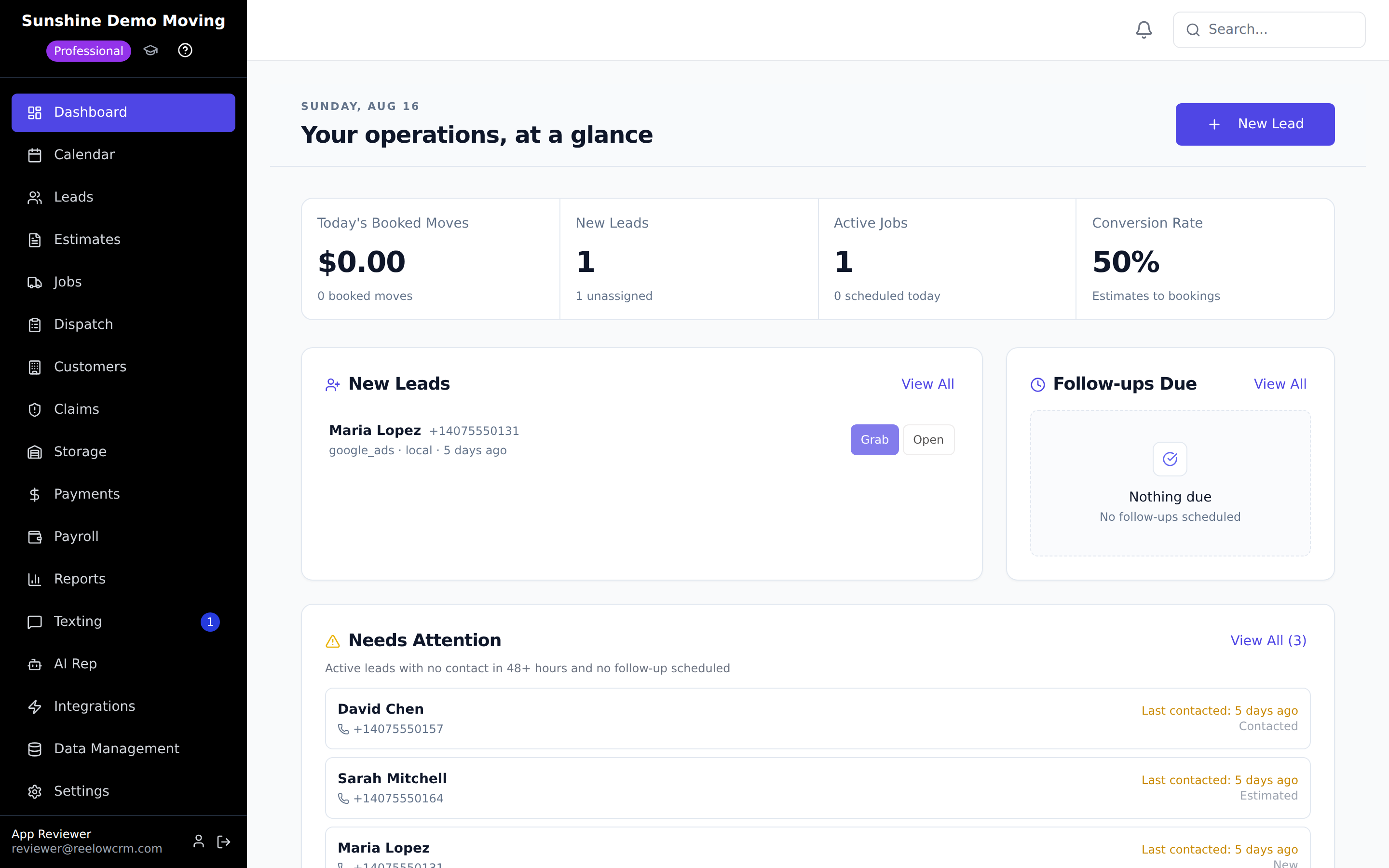
After you sign in, everything is reachable from the sidebar on the left. These are the areas you will use most:
- Dashboard — your daily overview: recent activity, upcoming moves, and key numbers at a glance.
- Leads — every inquiry that comes in, with move details, inventory, estimates, and the full communication history on one profile. See How to Create a New Lead topics as they are published.
- Estimates — all quotes you have created, and what stage each one is in.
- Jobs & Dispatch — booked moves become jobs; Dispatch is where you assign movers and trucks and manage the day's schedule.
- Calendar — a month/week view of scheduled moves and capacity.
- Payments — deposits, invoices, balances, and Stripe payment history.
- Texting — two-way SMS with customers from your business number (Professional plan).
- AI Rep — configure the AI Sales Rep, listen to its calls, and review the moves it books.
- Storage — storage customers, units, and recurring storage billing.
- Payroll & Reports — crew hours, commissions, and company performance.
- Settings — your company profile, pricing rates, staff accounts, and everything configurable.
How work flows through Reelow
Reelow follows the real lifecycle of a move. A lead comes in (from your website, a lead provider, a phone call, or the AI Sales Rep). You record the move details and build the inventory. From the inventory and your rates you create an estimate and send it to the customer by text or email. The customer e-signs the estimate and pays a deposit, which books the move. The booked move appears on the calendar and in Jobs, where dispatch assigns movers and trucks. After the move, you finalize the bill and collect the remaining balance. Understanding the Reelow CRM Workflow walks through each stage in detail.
Recommended first steps
- Create your account and start your 30-day free trial. See Setting Up Your Reelow Account for the full walkthrough. No charge is made during the trial.
- Complete your company profile. Your company name, phone, email, address, and logo appear on estimates and contracts, and your address is used for travel-distance calculations. See Configuring Your Company Profile.
- Set your pricing. Open Settings → Pricing to configure hourly rates by crew size, travel settings, and time adjustments (stairs, elevators, long walks). Your estimates and the AI Sales Rep both quote from these rates.
- Add your team. Open Settings → Staff to invite salespeople, dispatchers, crew leaders, and movers. Each role sees only the parts of Reelow they need.
- Create a test lead and take it through to a booked move. The fastest way to learn Reelow is to run one pretend customer through the full flow — lead, inventory, estimate, e-sign, deposit, schedule.
Tip: Use the Guided tour button at the bottom of the sidebar any time — it re-opens the interactive walkthrough of the main screens.
Where to get help
Browse this Help Center by category, use the search box on any help page, or contact the Reelow team. You can also call Reelow's own AI assistant at (737) 218-1003 — it answers pricing and product questions 24/7 and is a live demonstration of the same AI Sales Rep you can put on your own phone line.
Was this article helpful? Let us know from this page in the app, or contact support if you're stuck.
Frequently asked questions
Is Reelow only for moving companies?
Yes. Reelow is purpose-built for moving companies — inventories, cubic-foot/weight-based sizing, crew and truck dispatch, moving-specific estimates and contracts, and storage billing are all designed around how movers actually work.
Does Reelow have a free trial?
Yes. Every plan starts with a 30-day free trial. A payment method is collected at signup but nothing is charged until the trial ends, and you can cancel anytime.
Do I need to install anything?
No. Reelow runs in your web browser on desktop and mobile. There is also a Reelow mobile app for crews to view schedules, track hours, and manage jobs in the field.
What is the Reelow AI Sales Rep?
An AI phone agent that answers your calls, collects move details, builds the inventory, quotes prices using your configured rates, sends the estimate, and can collect the deposit to book the move — 24/7. You configure and review it under AI Rep in the sidebar.
Related articles
- Setting Up Your Reelow Account
- Navigating the Reelow Dashboard
- Understanding the Reelow CRM Workflow
- Configuring Your Company Profile
Next: Setting Up Your Reelow Account
Still need help?
Contact the Reelow team, or call our 24/7 AI assistant at (737) 218-1003.